Guide
How to make a card game prototype
In short
To prototype a card game, write every card as a row in a spreadsheet, design one card layout, generate the whole set from the sheet, then playtest in the browser, online in Tabletop Simulator or Tabletop Playground, or on paper. After each playtest, change the spreadsheet and make the cards again.
A card game gets good through playtesting, and playtesting means making the cards again and again. The trick is to keep the card text in one place and let the cards be made from it. Here is a workflow that does that.
1. Write the cards in a spreadsheet
Put one card per row and one value per column: name, card type, cost, attack, health, rules text, rarity, how many copies go in the deck. A spreadsheet makes balancing easy (sort by cost, compare stats) and it is the single place you edit between playtests.
| name | type | level | attack | hp | ability | copies |
|---|---|---|---|---|---|---|
| Ember Fox | Creature | 2 | 3 | 2 | Quick | 3 |
| Tide Warden | Creature | 4 | 2 | 6 | Guard | 2 |
| Firestorm | Spell | 5 | Deal 3 to everything | 1 |
2. Design one card, then make them all
Design a single card the way you want every card to look, then let the spreadsheet fill in the rest. Wallzy's Batch page (Studio) reads a CSV file, rows pasted from Excel or Google Sheets, or a linked Google Sheet, matches the columns to the card, and draws every card with the real renderer. Columns it does not know become custom fields. Pictures can be matched by file name or web address.
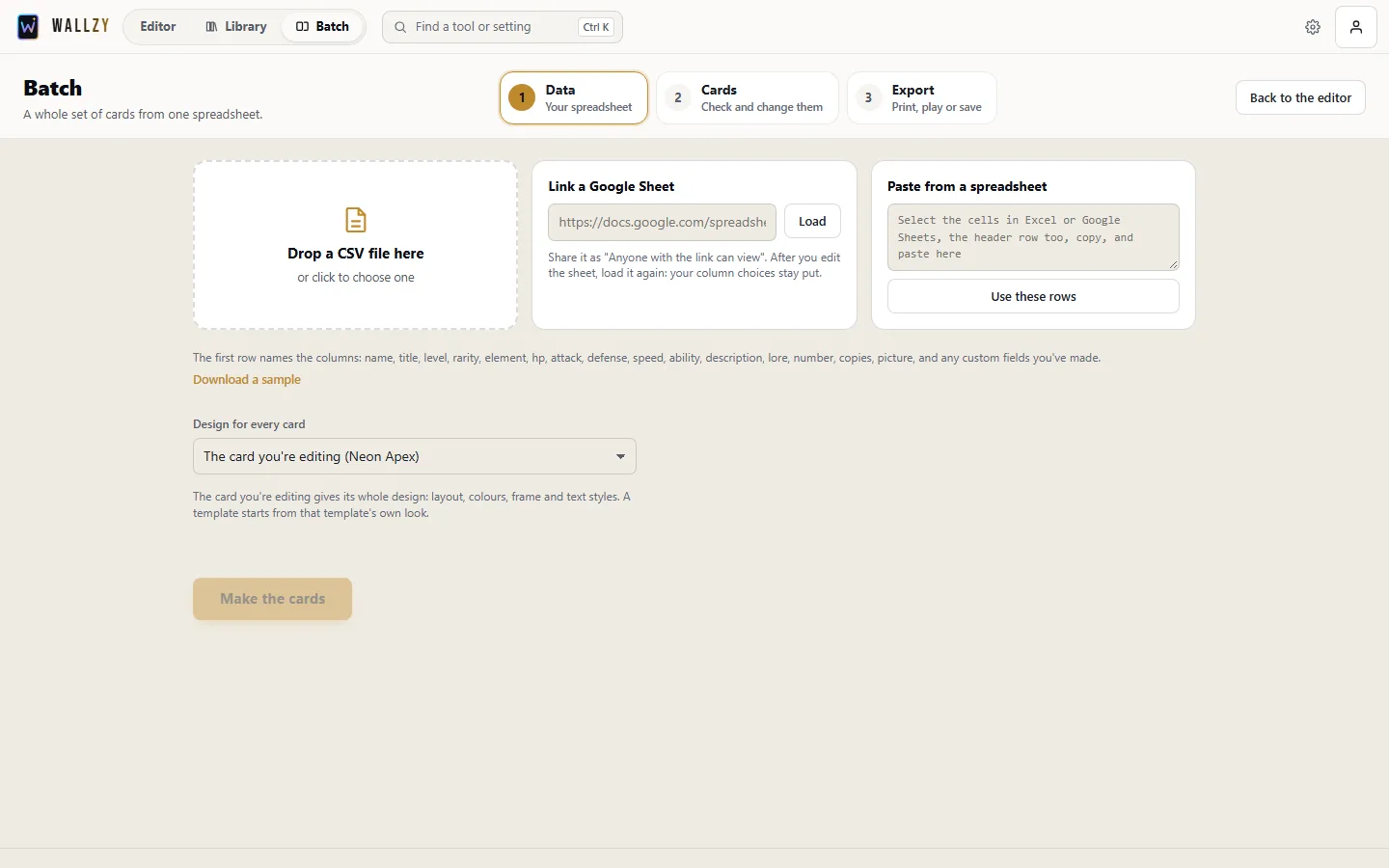
Use card types for different layouts (a creature and a spell rarely want the same layout) and the copies column to say how many of each card the deck holds.
3. Placeholder art is fine
Do not commission art before the rules work. A simple icon, a free picture or a quick AI sketch is enough to tell cards apart at the table. Swap the art in once the card survives playtesting.
4. Playtest
- In the browser: Wallzy's playtest table (every plan) deals your deck into a hand, lets you drag cards onto a table, tap them, flip them, add counters, roll dice and track life. Good for testing alone before you bother anyone else.
- Online with friends: export the deck (Pro) to Tabletop Simulator as card sheets and a saved object, with the pictures kept online by Wallzy so friends see them too, or to Tabletop Playground or Screentop.gg.
- On paper: print sheets of nine (Studio), cut them and sleeve them over old cards so they shuffle well. See printing at home.
5. Change the spreadsheet, not the cards
After each playtest, edit the spreadsheet and make the set again. A linked Google Sheet updates the same cards in your library instead of making new ones, so your edits by hand survive. The library's statistics flag cards whose numbers are far from others of the same rarity, which is a quick way to spot a card that is too strong.
6. When it is ready
Export print-ready files for a card printer (MakePlayingCards, The Game Crafter, DriveThruCards and others are preset), or a layered PSD if an artist will finish the design. More on this workflow on the game prototyping page.
Questions people ask
How many cards should a card game prototype have?
As few as can test the idea: often 30 to 60 cards. Add more only once the core rules work.
Should I pay for art before playtesting?
No. Use placeholder pictures or icons until the rules survive playtesting. Art is the most expensive part to redo.
How can I playtest a card game online?
Export the deck to Tabletop Simulator, Tabletop Playground or Screentop.gg as card sheets and play with friends, or use Wallzy's playtest table in the browser to test alone.
How do I print a prototype cheaply?
Print sheets of nine cards on card stock at home and sleeve them over old cards, or order a short run from a card printer once the game is stable.